
Business Phone Systems
Show you mean business ... with a real phone system
With our advanced features, you can enjoy crystal-clear calls, efficient call routing, and the flexibility to manage your communications from anywhere.

Benefits of a New Phone System
- High quality audio and reliable connections
- Free local and long-distance calling
- Move your phones to a different office or building as you wish
- Integrated app for your mobile devices
- Play sales messages or music when callers are on hold
- Add or remove phone numbers and extensions in minutes
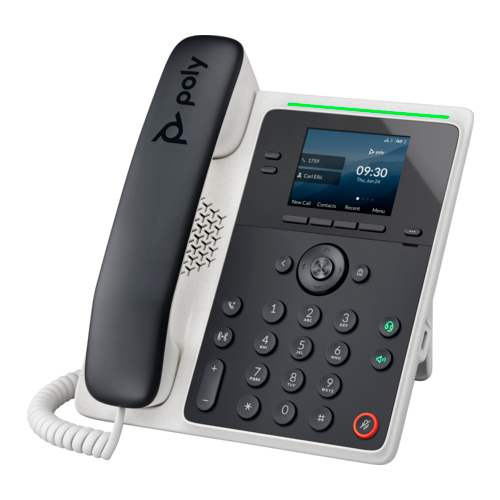
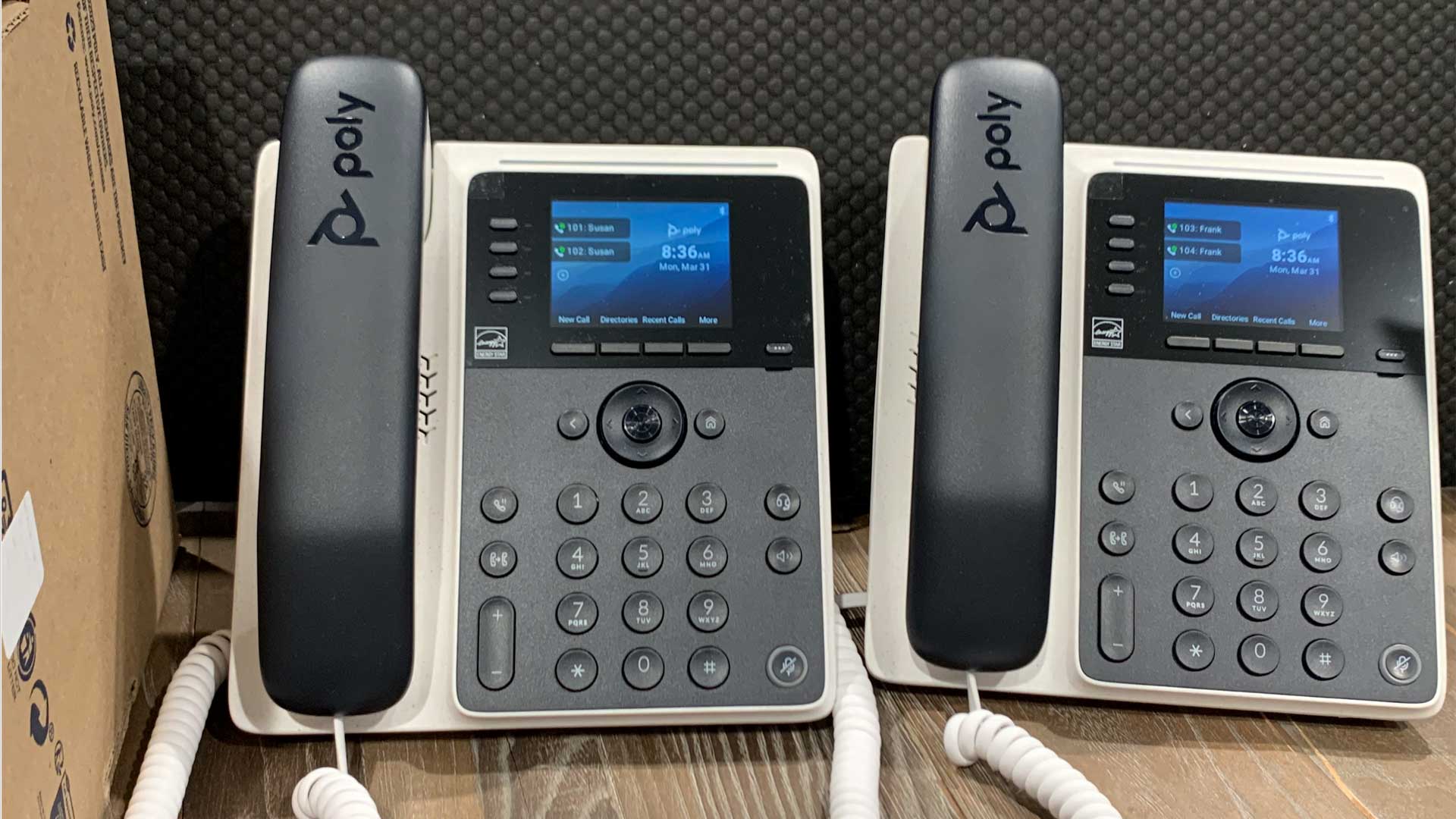
We feature the ever-popular Poly line of office phones. The E100 is shown at left.
If you already have your own VOIP-enabled phones, our service will likely work with them as well.
Advanced Call Routing
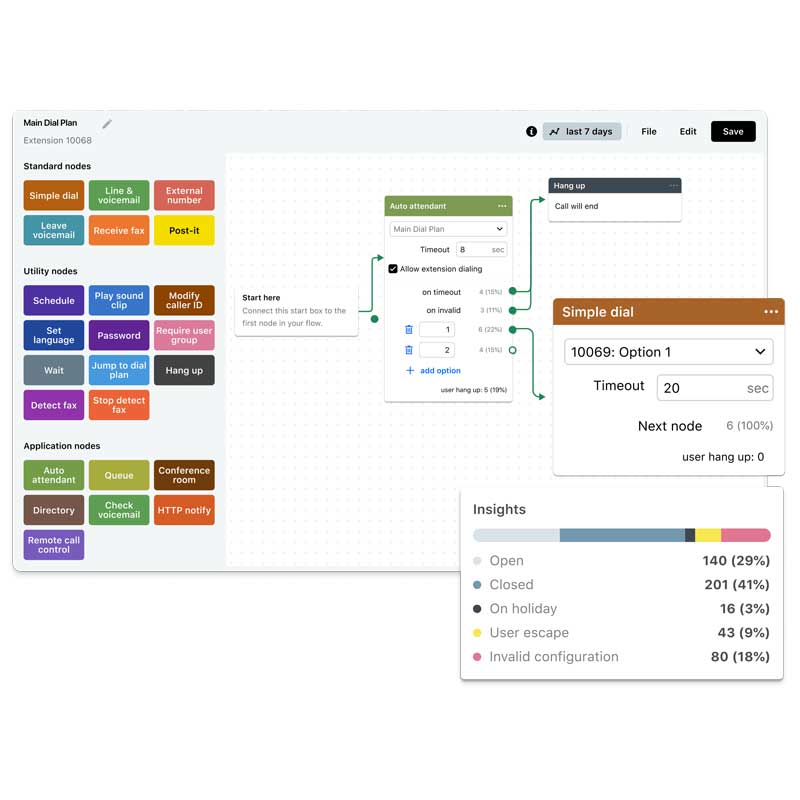
Design a dial plan that leads your callers to the destinations and options you choose. Businesses of any size will impress callers by quickly routing callers to the right department.
Take your business to an even higher level with call queues, custom sound and music clips, auto attendants, schedules and more!
We’re here to make it easy. We’ll record your custom greetings for you, setup your dial plans and more!

What is a Dial Plan?
A dial plan can greet your callers, offer information about your business, and direct people to specific departments.
Think of a dial plan as a friendly receptionist that gets callers to the right people or department. Features include:
- Welcome your callers with a professional greeting
- Provide options to speak with a department or person
- Setup call queues for advanced routing
- Play music or marketing messages when callers are on hold
- Indicate your business hours
- Setup find me / follow me routes
- Provide a dial by name directory
- Provide verbal website instructions
Cloud Phone System Benefits
Just like your old fashioned phone -- only better!
VOIP (Voice Over Internet Protocol) phones don’t use traditional phone lines. Instead, they send voice information over the internet.
A cloud based phone works just like an old fashioned phone — only better! Enjoy the simplicity of a classic desk phone, plus all the latest business phone features.
Integrated mobile apps
With GoTo Connect mobile apps, you and your team can work together from any iOS or Android-compatible smartphone or tablet.
Simply log in to receive incoming calls to your personal extension or phone line, place outbound calls with your unique caller ID, and check voicemail messages – all without a landline.



Business Phone Features
User Experience
- Auto Attendants
- Custom Hold Music
- Custom Messages & Greetings
- Dial by Extension
- Dial by Name Directory
- Messages On Hold
Voicemail
- Shared Voicemail Boxes
- Unlimited Local & Virtual Voicemail
- Voicemail
- Voicemail to Email
Call Routing
- Call Forwarding
- Call On Hold
- Call Park/Pickup
- Call Queues
- Call/Extension Transfers
- Conference Calls
- Dial Plans
- Do Not Disturb
- Ring Groups
- Schedules
- Visual Dial Plan Editor
Other Features
- Long Distance Calling
- Modify Caller ID
- Recent Calls
Our Onsite Service Area
Information Results provides onsite services to business locations within approximately 15 miles of our offices. The list includes these towns:
Acton, Ayer, Bedford, Bolton, Boxborough, Billerica, Burlington, Carlisle, Chelmsford, Concord, Devens, Groton, Harvard, Hudson, Lancaster, Lexington, Lincoln, Littleton, Lowell, Marlborough, Maynard, Shirley, Stow, Sudbury, Waltham, Wayland, Westford and Weston.
We also provide remote support to businesses across the U.S. and Canada.
We make it easy for you
If you’re considering installing a new phone system, you’re in the right place!
There are numerous details involved in getting a new phone system installed and working. Fortunately, our dedicated sales and support teams are very experienced in the process.
To put it simply, we handle all the details from start to finish. And our partnership with GoTo (formerly LogMeIn) means you’ll get quality phones at a discount, superb system uptime, and an extended support team available 24×7 to answer any questions.
Our ultimate goal is to make the installation of your new phone system an enjoyable, hassle-free process.

Installing your New Business Phone System
1) Evaluate current system
2) Explore your requirements
3) Create your quote
4) Prepare phones and PBX
5) Setup users, extensions, dial plan
6) Transition seamlessly to new system
We’re here after the sale

As a GoTo partner, we can offer an unparalleled level of ongoing support.
Our talented customer support is ready to help whenever you have a question about your service.
We respond promptly and courteously and usually can resolve your request on the first try!

Frequently Asked Questions
Business Desktop Phones
We already have phone numbers. May we bring them to your service?
Yes. We will take care of porting your existing phone numbers to your new phone system.
Can I use my existing phones with your service?
It depends on the type of phones you’re currently using. Contact us directly and we can let you know.
Can I have phones at multiple locations?
Yes. For example, you could have phones at two business locations, plus a phone at your home office. They would all be integrated into a single system, and people could dial each other at their respective extensions.
What other equipment, besides phones, will we have to purchase?
Our system runs “in the cloud” (fancy term for web-based) and so there’s normally no additional hardware needed. However, in some cases there might be some upgrades required to your local network.
Do we need a minimum number of phones to sign up for your services?
We don’t have a specific minimum. During our initial consultation with you, we look at your entire organization and help you plan your system.
One of the great features of the GoTo cloud phone system is how well it scales. As your organization grows, you can add any number of additional phones, in any number of locations. This flexibility makes it an ideal small business phone system, as well as a great choice for larger organizations.
Business Phone Setup
Can you duplicate our existing voice prompts and extensions?
Yes, we can. During the initial interview we will ask a number of questions to determine just what you need. We can replicate your system exactly, or make tweaks and improvements as well.
Can I route calls to my cell phone when I'm not in the office?
Yes. Full call-routing features are available with your new phone system.
Can I use my cell phone without giving out my personal number?
Yes. You can use the GoTo mobile app on your cell phone to make calls using your business number. Call from anywhere, without giving out your personal number.
I'm ready to sign up. How do I get started?
It’s easy to get started. Simply us a call at 978-776-9586, or contact us online. Our phone system quotes are easy and quick – we’ll get things rolling right away!
What is your service area for onsite installation?
Our service area includes the entire U.S. and Canada. We can design your system and configure the phones from our office, then ship the phones to your location. Just plug them in and they are ready to use.
A business phone system install in MA (within 20 miles of our office) can be done in person.
The Latest from the Simply Results Blog
Business, technology and good old common sense.




Let's Get Connected
Getting a new phone system is super-easy with our proven process. Learn more now.